
The Dental Office Equipment Audit: A Step-by-Step Guide for Practice Owners and DSO Operators
May 30, 2026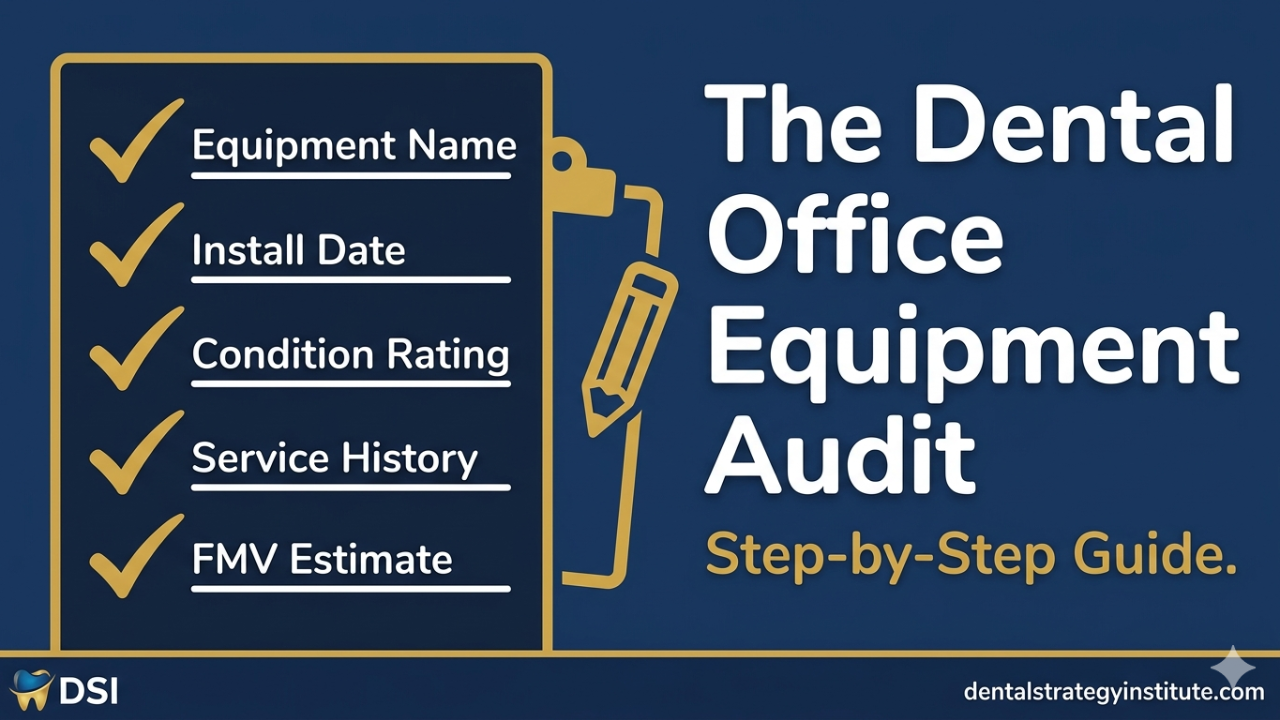
At some point in almost every dental practice sale, someone asks: can you give us a list of all the equipment?
The seller goes to the office manager. The office manager pulls up whatever they have — maybe a list from the last equipment finance application, maybe a service contract from a few years ago, maybe a spreadsheet that was never fully updated. It's incomplete. Some items are missing. The ages are estimates. Half the serial numbers are wrong or absent.
The buyer's team uses their own list instead.
This happens because most practices have never done a systematic equipment audit. They know what they have in broad strokes — but they don't have the documented, verified, condition-rated inventory that gives them control of the asset conversation in a transaction or a capital planning discussion.
Here's how to do it correctly.
What a Dental Equipment Audit Actually Captures
A proper equipment audit documents six data points for every major piece of equipment.
Item identification: Equipment category, manufacturer, model number, and serial number. The serial number is critical — it's the only way to verify age from manufacturer records and it's required for warranty claims, service agreements, and transaction documentation.
Installation date or estimated age: Best case is the original invoice or installation record. Second best is a manufacturer production date from the serial number (most major manufacturers can look this up). Third is a reasonable estimate from service history.
Condition rating: A simple 1–5 scale works. 5 = fully functional, no visible wear, up-to-date on PM service. 3 = functional with minor cosmetic wear and no recent service. 1 = functional impairment or visible deterioration. Document specific observations for anything below a 4.
Service history summary: How many service calls in the last three years? Any major repairs? PM service current? This data is the difference between a condition rating that's defensible and one that's a guess.
Current fair market value estimate: Apply the benchmarks from Post 5 of this series, adjusted for condition. Or run individual items through DentalAssetIQ for AI-powered valuations.
Replacement flag: Based on age and condition, is this item in the "current," "watch," or "replacement pipeline" category? This is the lifecycle classification from the CapEx planning framework in Post 4.
The Equipment Audit Checklist
Work through your practice operatory by operatory, then the utility room, then the sterilization area, then the front office.
Per Operatory:
- Dental chair (manufacturer, model, serial number, age, condition, service history)
- Delivery unit / assistant's unit (same data points)
- Dental light (age, functionality, LED vs. halogen)
- Cabinetry (age, condition — structural and surface)
- Intraoral camera (manufacturer, model, image quality check)
- Digital sensor (manufacturer, model, serial, image quality)
- Curing light (battery test, intensity check)
- Nitrous system connections (if applicable)
- Monitor and computer hardware (age, operating system)
Utility Room / Mechanical:
- Compressor (manufacturer, model, serial, install date, service history, operating temperature and pressure)
- Vacuum system (manufacturer, model, serial, install date, service history, separator condition)
- Air/water lines (visible corrosion, connection integrity)
- Water filtration system (filter change records)
Sterilization:
- Autoclave(s) (manufacturer, model, serial, cycle count, last spore test date, last PM service)
- Ultrasonic cleaner (age, functionality)
- Cassette management system (condition)
Imaging:
- Panoramic X-ray (manufacturer, model, serial, age, software version)
- CBCT unit (manufacturer, model, serial, age, software version, support contract status)
- Digital sensor(s) (already noted per operatory — verify count)
- Intraoral camera(s) (verify per operatory list)
Front Office / Administrative:
- Practice management software (name, version, hardware age)
- Patient check-in technology
- Payment processing hardware
How Long a Full Audit Takes
For a single-operatory practice, a thorough audit takes three to four hours. For a multi-operatory practice, budget one to two hours per operatory plus an hour for the utility areas. A well-organized ten-operatory practice should take a full day to audit properly.
For DSO groups auditing multiple locations, this is a project that needs to be systematized — either through a standardized audit protocol deployed at each location, or through a platform like DentalAssetIQ that aggregates location-level data centrally.
What to Do With the Audit Results
The completed audit feeds three things directly. Your capital plan — you now know exactly what's in the watch and replacement pipeline categories. Your pre-sale preparation — you have a documented, verified asset list that you control rather than leaving it to the buyer's team. And your ongoing compliance tracking — you can see at a glance which service intervals are overdue and which equipment needs attention.
The audit is a one-time investment that pays compound returns every year you keep it current.
FAQ
How often should a dental practice do an equipment audit? A comprehensive equipment audit should be done every two to three years for a stable practice, and before any major transaction (sale, DSO affiliation, refinancing, or insurance revaluation). DSO groups should maintain a rolling audit process, with each location updated annually.
What should be included in a dental equipment inventory? A complete dental equipment inventory should include every major piece of equipment with manufacturer, model, serial number, installation date or estimated age, condition rating, service history summary, and replacement status classification. Serial numbers are the critical data point — they enable manufacturer age verification and are required for service agreements and transaction documentation.
How do I find the age of dental equipment? The most reliable method is the original purchase invoice or installation record. For equipment without documentation, most major manufacturers (A-dec, Midmark, Dentsply Sirona, Planmeca) can look up a production date from a serial number. Service records from authorized repair companies often note installation dates. DentalAssetIQ can also assist with age verification as part of the valuation process.
Stay connected with news, offers and updates!
Join our mailing list to receive the latest news, offers and updates from our team.
Don't worry, your information will not be shared.
We hate SPAM. We will never sell your information, for any reason.